
10 Common Reasons Your Website Is Slow (And How to Fix Them)

Website speed plays a crucial role in delivering a great user experience and improving search engine rankings. A slow-loading website can frustrate visitors, increase bounce rates, and reduce conversions. In today’s competitive digital landscape, understanding why your website is slow is the first step toward improving performance.
Whether you run a business website, an online store, or a personal blog, identifying the causes of slow loading times can help you create a faster, more reliable website. In this article, we’ll explore the 10 common reasons your website is slow and provide practical solutions to fix each issue.
1. Large and Unoptimized Images
One of the most common reasons your website is slow is oversized image files. High-resolution images look great, but they can significantly increase page load times if they aren’t optimized.
How to Fix It
- Compress images before uploading.
- Use modern image formats like WebP or AVIF.
- Resize images to the correct dimensions.
- Enable lazy loading for images below the fold.
2. Poor Web Hosting
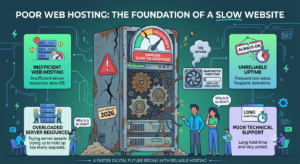
Your hosting provider directly affects your website’s performance. Cheap or overcrowded hosting servers often lead to slow loading speeds, especially during high-traffic periods.
How to Fix It
- Upgrade to a reliable hosting provider.
- Choose SSD or NVMe hosting.
- Consider cloud or managed hosting for better performance.
3. Too Many HTTP Requests
Every image, stylesheet, script, and font requires an HTTP request. The more requests your page makes, the longer it takes to load.
How to Fix It
- Combine CSS and JavaScript files.
- Remove unnecessary plugins and widgets.
- Reduce external resources where possible.
4. Unoptimized CSS and JavaScript Files
Large CSS and JavaScript files can delay page rendering and negatively impact user experience.
How to Fix It
- Minify CSS, HTML, and JavaScript.
- Remove unused code.
- Load JavaScript asynchronously.
- Defer non-essential scripts.
5. No Browser Caching
Without browser caching, returning visitors must download all website resources every time they visit your site.
How to Fix It
- Enable browser caching.
- Set proper cache expiration headers.
- Use caching plugins if you’re using a CMS like WordPress.
6. Too Many Plugins
Installing excessive plugins can slow down your website by increasing database queries and loading unnecessary scripts.
How to Fix It
- Remove unused plugins.
- Replace multiple plugins with all-in-one solutions.
- Keep plugins updated.
- Use only trusted, lightweight plugins.
7. Poor Database Optimization
Over time, your website database collects unnecessary data such as revisions, spam comments, and temporary files, reducing performance.
How to Fix It
- Optimize your database regularly.
- Delete unused tables.
- Remove spam comments and post revisions.
- Schedule automatic database maintenance.
8. No Content Delivery Network (CDN)
Visitors located far from your hosting server may experience slower loading times.
A CDN stores copies of your website on servers around the world, delivering content from the nearest location.
How to Fix It
- Use a trusted CDN.
- Cache static files globally.
- Enable edge caching for faster delivery.
9. Too Much Third-Party Code
External scripts such as advertisements, analytics tools, chat widgets, and social media integrations can slow your website.
How to Fix It
- Remove unnecessary third-party scripts.
- Load scripts asynchronously.
- Monitor script performance regularly.
10. Outdated Website Technology
Using outdated software, themes, plugins, or older PHP versions can significantly reduce website speed and security.
How to Fix It
- Update your CMS regularly.
- Keep themes and plugins updated.
- Upgrade to the latest supported PHP version.
- Remove outdated code and unused features.
Additional Tips to Speed Up Your Website
Besides fixing the issues above, you can further improve performance by:
- Enabling Gzip or Brotli compression.
- Using lightweight website themes.
- Reducing page redirects.
- Optimizing web fonts.
- Monitoring Core Web Vitals.
- Testing website speed regularly with performance tools.
Consistent maintenance is the key to keeping your website fast.
Benefits of a Faster Website
Improving website speed offers several long-term benefits, including:
- Better user experience
- Higher search engine rankings
- Lower bounce rates
- Increased website traffic
- Improved conversion rates
- Stronger customer trust
- Better mobile performance
- Higher return on marketing investment
A faster website not only satisfies visitors but also supports long-term business growth.
Conclusion
Understanding why your website is slow is essential for improving its overall performance. Issues like unoptimized images, poor hosting, excessive plugins, and outdated technology can all impact loading times. By identifying these problems and implementing the right solutions, you can create a faster website that delivers a better user experience, ranks higher in search engines, and increases conversions.
Website speed is an ongoing process, so regularly monitor performance, update your website, and optimize your content to stay ahead of the competition.